

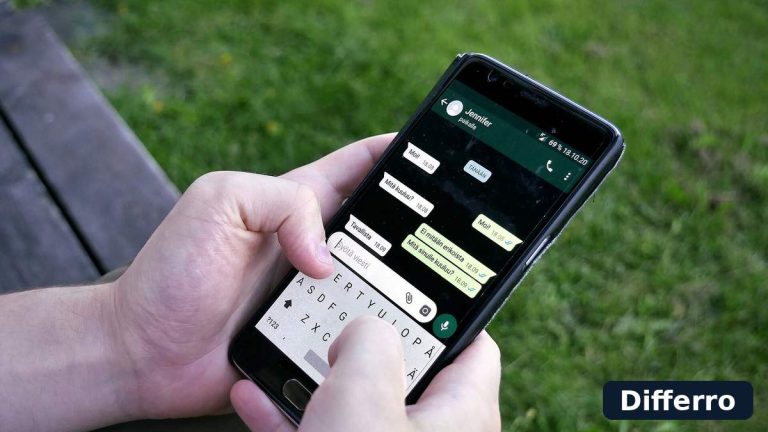
The simplest way to understand whatsapp guest calling without account is as an invitation, not a sign-up. A WhatsApp user creates a call link, and the person invited opens that link in a computer browser and joins the call as a guest.
Meta announced the feature on 14 October 2026, and it changes who has to prepare for a call. The account, the app and the call link all belong to the host; the guest needs a browser, a microphone and the link itself.
This guide explains how the invitation works from both sides, what a guest can and cannot do once admitted, and where the limits still sit — because joining without an account is not the same as using WhatsApp without one.
How WhatsApp Guest Calling Works
Every guest call has two halves: a host with an account who sets it up, and a guest without one who joins. In Meta’s guest calling announcement, the company describes an invitation-based system built around the call link WhatsApp users already share.
What the Host Does: Create and Share a Call Link
Only people with a WhatsApp account can create a call link. The host opens the Calls tab, taps the + icon, creates the link and sends it wherever suits the guest — email, text message or another app entirely.
WhatsApp’s own guide to creating and sharing a call link adds the practical details: each link has a different, secure address that cannot be guessed, the host chooses voice or video, and an unused link expires after 30 days.
What the Guest Does: Open, Add a Name, Wait
The guest opens the link in a computer browser — WhatsApp’s help pages describe guest joining as a desktop browser feature — types in a name, and lands in a waiting room.
Admission is never automatic. A guest always needs the host’s approval before joining, even on an open link, and the host can remove a guest from the call at any time.
WhatsApp Guest Calling at a Glance
The division of labour is uneven by design. Almost everything about the arrangement sits with the host:
| Question | The host | The guest |
|---|---|---|
| Needs a WhatsApp account | Yes | No |
| Creates the call link | Yes | Cannot |
| Joins from | App or computer | Computer browser |
| Waits for approval | Admits others | Always waits |
| Can add more people | Yes | Cannot |
Read the guest column as the whole offer: a name, a browser and a wait for admission, in exchange for a full place in the conversation.
Participant Limits, Call Duration and Costs
Guests join both one-to-one calls and group calls, and the group ceiling is the standard WhatsApp one: up to 32 people in a single call, guests included.
Meta describes guest calls as free, end-to-end encrypted and free of time limits, so a long conversation does not end in a cutoff or a restart. There is no separate WhatsApp charge for the call itself.
Free still assumes a connection. The call runs over the internet, so a guest on a metered or capped connection is spending data, and a host on mobile data is doing the same.
Privacy and Control Remain Important
Guest calls carry the same end-to-end encryption as ordinary WhatsApp calls, so widening the invitation does not lower the privacy standard of the conversation itself.
Encryption settles who can listen in; it does not settle who should be invited. A call link works for anyone holding it, so it deserves the same care as a house key: share it privately, and check who is in the room before confidential talk starts.
What Guests Can and Cannot Do
Guests are deliberately limited. They cannot see other participants’ phone numbers, send messages, add anyone else to the call, or start a call of their own.
What they keep is the working core of a call: they can share their computer screen, react with a thumbs up or heart, and raise a hand to speak.
The Update Follows Earlier Changes to WhatsApp Web
Guest calling arrived on groundwork laid in July. Meta’s WhatsApp Web calling announcement of 28 July 2026 brought audio and video calls — one-to-one and group — directly into the browser for account holders, with no app download.
That update also added screen sharing and reactions on the web, a Calls tab with history and favourites, call transfer between devices, waiting rooms for link-based calls, faster HD video and noise suppression.
The two steps fit together: July made the browser a real place to hold a WhatsApp call, and October opened the browser door to people with no account at all.
What the Change Could Mean for Everyday Conversations
The obvious winners are occasional conversations: a freelancer interviewing a client, a tutor meeting a parent, a family call with one relative who never installed the app.
Because guests join from a browser, the arrangement no longer depends on which phone anyone carries. The usual iPhone or Android divide stops mattering for the guest — a computer and a link are the whole requirement.
For regular meetings, one gap remains: guests cannot send messages, so documents, notes and follow-ups still need an agreed home outside the call, such as email.
Calendar Integrations Are Also Planned
Meta’s October announcement also trailed calendar integrations for later in 2026. A WhatsApp plugin for Google Calendar and Outlook will let hosts create a call and attach its link directly to a calendar invite.
Everyone on that invite can then join with or without a WhatsApp account. Meta gave no exact launch date, so for now the Calls tab remains the place a link starts.
Common Mistakes When Inviting a Guest
The commonest mistake is treating the link like a public notice. Anyone holding it can ask to join, so posting it openly invites strangers into the waiting room and leaves the host refusing people one by one.
The second is timing. A link created for a meeting weeks away can expire unused after 30 days, and a link sent at the last minute leaves the guest testing a browser while everyone else waits.
The third is assuming the guest has the full app. Files, chat messages and follow-up calls all still need an account, so agree the side channel before the call, not during it.
Frequently Asked Questions
Can someone really join a WhatsApp call without an account?
Yes, as a guest. A WhatsApp user sends them a call link, they open it in a computer browser, enter a name and wait for the host to admit them. Joining is the part that needs no account.
Can a guest start a WhatsApp call?
No. Only people with a WhatsApp account can create a call link or start a call. Guests can only accept an invitation and join a call somebody else has set up.
Do guests join from a phone browser?
WhatsApp describes guest joining as a computer browser feature, and Meta’s announcement does not promise mobile-browser access. Plan on a laptop or desktop computer with a microphone, and a camera for video.
Are WhatsApp guest calls private?
Yes. Meta says guest calls are end-to-end encrypted, like ordinary WhatsApp calls, and guests cannot see other participants’ phone numbers. The host also approves every guest and can remove one at any time.
How many people can join a guest call?
Up to 32 people in total, across one-to-one and group calls. Meta also says guest calls are free and carry no time limits, though your internet provider’s data charges can still apply.
Conclusion
Guest calling removes the oldest obstacle to a WhatsApp call: the person at the other end not having WhatsApp. A link, a browser and a name now do the job that registration used to.
The boundary is worth remembering, though. Guests can join, talk, present and react — but the account still belongs to the host, and everything beyond the call itself still runs through it.

