
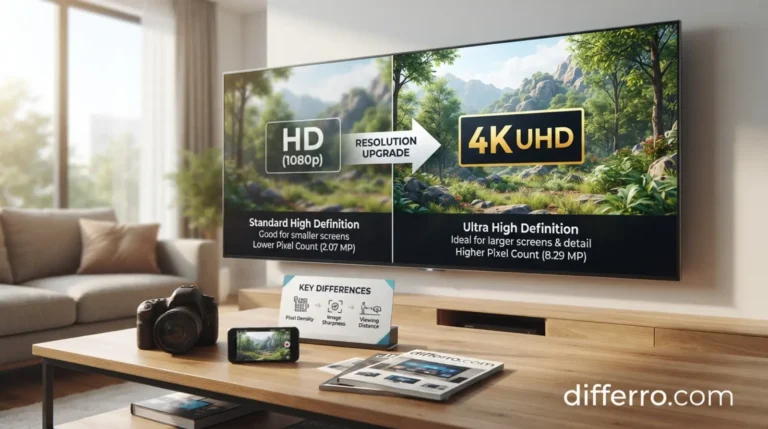
HD vs 4K Resolution: Which Is Best for You? The answer depends on your screen size, budget, viewing distance, and daily needs. Both resolutions deliver clear pictures, but 4K provides more detail than Full HD. This difference becomes easier to notice on larger screens.
HD remains a practical choice for budget televisions, laptops, and everyday entertainment. It also works well when you watch videos on smaller screens. In contrast, 4K offers sharper images, finer details, and more workspace for compatible content. These benefits make it attractive for modern televisions, gaming, and creative work.
However, resolution alone does not determine overall picture quality. Brightness, contrast, color accuracy, and HDR support also affect your viewing experience. Internet speed and content availability matter when streaming movies.
This guide compares HD and 4K resolution, explains their differences, and helps you choose the right option.
⭐ Quick Answer
4K resolution is generally better than Full HD because it provides four times as many pixels. It offers sharper details on large screens, while HD costs less and suits everyday viewing.
Example: Choose a 4K television for a large living room and Full HD for a smaller bedroom screen.
📺 What Is HD Resolution?
HD stands for High Definition. It describes video and display formats that provide more detail than standard-definition video.
People often use HD to describe two common resolutions: 720p and 1080p. However, 1080p has a more specific name: Full HD.
- HD (720p): 1280 × 720 pixels.
- Full HD (1080p): 1920 × 1080 pixels.
A pixel is a tiny picture element that helps create an image. More pixels can display finer details when the screen and source content support them.
Examples of HD Resolution
Example 1: A 24-inch Full HD monitor displays office documents, websites, and online videos clearly.
Example 2: A 32-inch HD television provides suitable picture quality for casual viewing in a bedroom.
Benefits of HD Resolution
- Usually costs less than comparable 4K displays.
- Works well on smaller screens.
- Requires less streaming data in many situations.
- Supports a wide range of existing videos and devices.
- Offers sufficient clarity for everyday activities.
Limitations of HD Resolution
- Shows less detail than 4K on similarly sized screens.
- May look less sharp on large televisions viewed closely.
- Provides less workspace for detailed computer tasks.
- Cannot match 4K’s pixel count.
🎬 What Is 4K Resolution?
4K resolution refers to an image with approximately 4,000 horizontal pixels. Consumer televisions usually use 4K Ultra High Definition (UHD), which measures 3840 × 2160 pixels.
A 4K UHD screen contains approximately 8.3 million pixels. A Full HD screen contains approximately 2.1 million pixels. Therefore, 4K provides four times as many pixels as Full HD.
This higher pixel count can reveal finer textures, smaller details, and smoother edges. The difference often matters more on large screens or when viewers sit closer.
Examples of 4K Resolution
Example 1: A 65-inch 4K television displays compatible movies with detailed landscapes, textures, and scenery.
Example 2: A 4K computer monitor gives a video editor more workspace for timelines, previews, and editing tools.
Benefits of 4K Resolution
- Produces more detailed images than Full HD.
- Works particularly well on large screens.
- Supports compatible high-resolution movies and games.
- Provides additional workspace for creative applications.
- Offers a useful upgrade for modern entertainment systems.
Limitations of 4K Resolution
- Often costs more than comparable Full HD displays.
- Usually requires more streaming data at similar compression levels.
- May offer limited visible benefits on small screens viewed from far away.
- Needs compatible content to show its full potential.
- Cannot restore all details missing from low-resolution source videos.
🔍 HD vs 4K Resolution: Key Differences
The main difference between HD and 4K resolution is the number of pixels. However, screen size, viewing distance, and source quality affect the visible results.
| Feature | HD / Full HD | 4K UHD |
|---|---|---|
| Typical resolution | 1280 × 720 or 1920 × 1080 | 3840 × 2160 |
| Pixel count | 0.92 million at 720p; 2.07 million at 1080p | 8.29 million |
| Picture detail | Good for everyday viewing | Finer details and sharper images |
| Large televisions | Suitable, depending on viewing distance | Generally better for detailed viewing |
| Streaming data | Usually lower | Usually higher at comparable compression |
| Price | Often more affordable | Often more expensive |
| Gaming | Good for budget systems | Better detail with compatible hardware |
| Computer work | Suitable for basic tasks | More workspace for detailed tasks |
| Content availability | Very widely available | Widely available, but not universal |
| Best use | Small screens and budget viewing | Large TVs, gaming, and creative work |
Note: HD can mean 720p or 1080p. For a fair comparison, check whether a product offers HD, Full HD, or 4K UHD.

🕰️ Origin and History of HD and 4K
Television technology developed from standard-definition pictures to higher-resolution formats. HD improved image detail and gradually became common in televisions, monitors, and digital video.
As display technology advanced, manufacturers introduced 4K UHD screens. Consumer 4K televisions became increasingly popular during the 2010s.
Today, both formats remain useful. Full HD supports many everyday viewing needs, while 4K serves modern televisions, streaming platforms, gaming systems, and creative applications.
Similar Resolution Terms
- SD: Standard Definition, with lower resolution than HD.
- HD: Commonly refers to 720p.
- Full HD: 1920 × 1080 pixels.
- 4K UHD: 3840 × 2160 pixels.
- 8K UHD: 7680 × 4320 pixels.
These terms describe resolution rather than every part of picture quality. HDR, for example, improves supported brightness and color range instead of increasing pixel count.
🇬🇧 British English vs American English
HD, Full HD, and 4K have the same spelling and meaning in British and American English.
Both countries use these terms when describing televisions, monitors, cameras, and video formats.
Regional differences may affect product names and technical standards, but the resolution labels remain the same.
British vs American English Comparison
| Feature | British English | American English |
|---|---|---|
| HD | HD | HD |
| Full HD | Full HD | Full HD |
| 4K | 4K | 4K |
| Ultra High Definition | Ultra High Definition | Ultra High Definition |
| Meaning | Same | Same |
| Common use | Television and monitor specifications | Television and monitor specifications |
🛒 When Should You Choose HD Resolution?
Full HD , HD vs 4K Resolution makes sense when you want good picture quality without spending extra on resolution you may not need.
1. Choose HD for Smaller Screens
Smaller screens can look sharp at Full HD resolution when viewed from a suitable distance.
Example: A 24-inch Full HD monitor works well for studying, browsing, and office tasks.
2. Choose HD for Budget-Friendly Entertainment
Full HD televisions often cost less than comparable 4K models. They can provide excellent value for everyday viewing.
Example: A family buying a television for a small bedroom may find Full HD sufficient.
3. Choose HD for Basic Streaming
Many shows, news programs, and online videos remain available in HD. A 4K screen is not necessary to enjoy this content.
Example: Someone who mainly watches news and occasional YouTube videos may prefer an affordable Full HD television.
4. Choose HD for Limited Internet Data
HD streaming generally uses less data than comparable 4K streaming. This difference can matter when your internet package has a monthly data limit.
Example: A student with limited mobile data may choose HD playback to reduce data consumption.
🌟 When Should You Choose 4K Resolution?
4K is usually the stronger choice when you want more detail and have compatible content and equipment.
1. Choose 4K for Large Televisions
Large screens can reveal resolution differences more clearly, especially at shorter viewing distances.
Example: A 65-inch television used for movies and streaming is a strong candidate for 4K UHD.
2. Choose 4K for Movies and Shows
Compatible 4K content can reveal fine textures, facial details, and scenery. Streaming services offer selected movies and shows in 4K.
Example: A movie enthusiast can enjoy supported 4K films on a compatible television.
3. Choose 4K for Gaming
Modern consoles and gaming computers support 4K output in compatible games. A 4K display can show detailed environments and textures.
Example: A gamer with a compatible console may prefer a 4K television for sharper graphics.
However, some games reduce graphical settings or frame rates to achieve 4K output. Check your hardware before buying a display.
4. Choose 4K for Creative Work
Photographers, designers, and video editors may benefit from extra screen detail and workspace.
Example: A photographer can inspect high-resolution images more closely on a 4K monitor.
⚠️ Common Mistakes When Comparing HD and 4K
Mistake 1: Assuming All HD Displays Use 1080p
Incorrect: Every HD television has a resolution of 1920 × 1080 pixels.
Correct: HD may refer to 720p, while Full HD means 1080p. Check the product’s exact resolution.
Mistake 2: Assuming 4K Always Produces Better Picture Quality
Incorrect: Every 4K television looks better than every HD television.
Correct: Resolution matters, but contrast, brightness, color accuracy, and image processing also affect picture quality.
Mistake 3: Ignoring Screen Size and Viewing Distance
Incorrect: Everyone will notice a huge difference between HD and 4K.
Correct: The visible difference depends on screen size, viewing distance, eyesight, and source quality.
Mistake 4: Expecting Every Video to Become True 4K
Incorrect: A 4K television turns every HD video into native 4K quality.
Correct: Upscaling can improve how lower-resolution content looks, but it cannot fully recreate missing details.
Mistake 5: Ignoring Internet Requirements
Incorrect: 4K streaming always uses the same data as HD streaming.
Correct: 4K generally requires more data at comparable compression levels. Actual usage depends on the service and settings.
Mistake 6: Confusing 4K With HDR
Incorrect: 4K and HDR mean the same thing.
Correct: 4K describes resolution, while HDR expands the supported brightness and color range. A display can support both.
🧠 Easy Trick to Remember
Use this simple memory tip:
- HD = High Definition: A practical choice for everyday viewing.
- 4K = Four times the pixels of Full HD: More detail when compatible content supports it.
Remember that 4K has four times the pixel count of 1080p Full HD. It does not automatically provide four times the perceived sharpness.
🏠 Everyday-Life Examples: HD vs 4K Resolution
1. Watching Television in the Bedroom
A person buys a 32-inch television for news, dramas, and casual viewing.
Best choice: Full HD may be sufficient. A 4K model can work too, but its extra resolution may not justify the additional cost.
2. Watching Movies in the Living Room
A family wants a large television for movies and streaming. They sit relatively close and have access to 4K content.
Best choice: 4K usually provides more visible detail on a large screen.
3. Playing Video Games
A gamer owns a compatible console and wants detailed graphics. They also care about smooth motion and responsive controls.
Best choice: 4K suits gamers who prioritize resolution. However, compare refresh rate, input lag, and game performance before buying.
4. Working on a Computer
An office worker uses a monitor for email, spreadsheets, browsing, and video calls.
Best choice: Full HD works well for many everyday tasks. A 4K monitor offers more workspace for detailed spreadsheets and creative projects.
5. Streaming Videos With Limited Data
A student watches videos through a limited internet package. They mainly use a laptop or small television.
Best choice: HD offers a practical balance between clarity and data use. Choose 4K when its extra detail matters to you.
🌍 Google Trends and Usage Insights
Google Trends measures relative search interest rather than exact search volume. The following observations are general expectations, not verified live rankings.
- USA: Users may compare 4K televisions, streaming quality, gaming displays, and home entertainment.
- UK: Searches may focus on Full HD versus 4K televisions, picture quality, and product value.
- Australia: Buyers may research television resolution, streaming quality, and gaming displays.
- India: Price, screen size, and the value of 4K televisions may influence comparison searches.
- Pakistan: Buyers may focus on television prices, internet data use, and the benefits of upgrading to 4K.
SEO insight: Compare “HD vs 4K,” “4K vs Full HD,” and “4K vs 1080p” separately in Google Trends. Use the same date range for all five countries. Check actual results before publishing country rankings or search-volume claims.
Comparison Table: Keyword Variations
| Keyword variation | Search intent | Suggested placement |
|---|---|---|
| HD vs 4K resolution | Direct comparison | Title and introduction |
| 4K vs Full HD | Resolution comparison | Key differences |
| Difference between HD and 4K | Informational | Meaning section |
| Is 4K worth it? | Buying decision | Final verdict |
| Best resolution for TV | Product research | Usage sections |
| 4K vs 1080p | Technical comparison | Resolution definitions |
| HD vs 4K for gaming | Gaming comparison | Gaming section |
❓ Frequently Asked Questions
1. Is “HD vs 4K Resolution: Which Is Best for You?” a correct title?
Yes. The title clearly describes a comparison between two display resolutions. It also tells readers that the article will help them choose the right option.
2. What is the main difference between HD and 4K resolution?
Full HD provides 1920 × 1080 pixels, while 4K UHD provides 3840 × 2160 pixels. Therefore, 4K contains four times as many pixels as Full HD.
3. Which resolution is more common, HD or 4K?
Both formats remain widely used. HD is common in everyday video and budget devices, while 4K is widely available in modern televisions and compatible streaming content. Actual usage varies by market and device.
4. Which term should I use in formal product descriptions?
Use the exact resolution in technical descriptions. Write “Full HD” for 1920 × 1080 and “4K UHD” for 3840 × 2160. Avoid using “HD” when you specifically mean Full HD.
5. Why do people confuse HD and 4K?
Both terms describe picture resolution, but HD can refer to different formats. Retailers may also use broad labels, which makes product comparisons confusing. Checking the exact pixel count helps buyers choose correctly.
🏆 Final Verdict: Which Is Best for You?
4K is generally the better choice for large screens, detailed movies, and compatible gaming. It provides four times the pixels of Full HD, which can create sharper images.
However, HD or Full HD remains a smart option for smaller screens, everyday entertainment, and budget-conscious buyers. It also generally uses less data when streaming comparable content.
Choose 4K if you want extra detail, own compatible equipment, and plan to watch high-resolution content. Choose Full HD if affordability and everyday performance matter more.
Before buying, compare screen size, viewing distance, display quality, refresh rate, and available content. The best resolution is the one that meets your needs without unnecessary expense.
Conclusion
HD vs 4K resolution comes down to picture detail, screen size, viewing distance, and budget. For most large televisions, 4K offers more detail and a sharper picture when you watch compatible content. It also provides useful benefits for gaming, movies, and creative work.
However, HD and Full HD remain practical choices for smaller screens and everyday entertainment. They can provide clear pictures without the extra cost of 4K equipment. Your internet connection and content quality also influence your experience.
Remember that higher resolution does not guarantee better overall picture quality. Brightness, contrast, color accuracy, and HDR support also matter. Compare these features before buying a television or monitor.
Choose 4K for extra detail and choose Full HD for affordable everyday viewing.

Imran Lodhra is a comparison-focused content writer at Differro.com.
He specializes in creating clear, simple, and informative comparison articles.
His work helps readers understand key differences, pros and cons, and important details.
Imran focuses on accurate, practical, and easy-to-read content for everyday readers.
1 thought on “HD vs 4K Resolution: Which Is Best for You?”